Character voices and dialogue in your videos
Search any voice in the community library, save your favorites and make videos with up to three voices talking to each other.
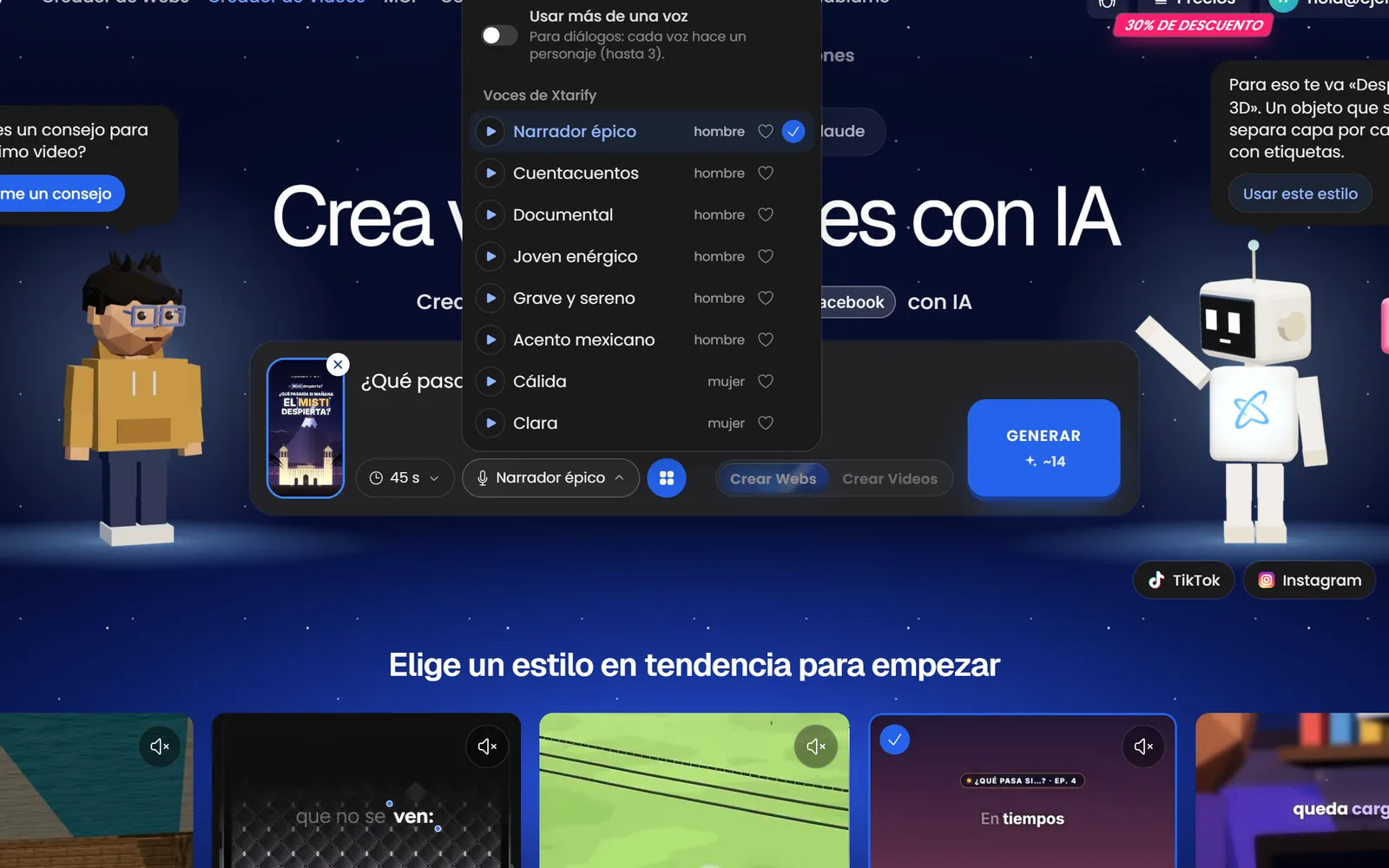
On top of Xtarify’s own voices, you can now search thousands of community voices from Fish Audio: narrators, anime voices, deep documentary voices, characters and more.
Search and listen before you choose
- Open the voice menu and tap the search box.
- Type what you’re looking for: a name or a description ("documentary narrator", "anime voice").
- Listen to each voice’s sample and pick the one you like best.
- Tap the heart to save it to your favorites: it stays at the top of the voice menu.
More than one voice: your video as a dialogue
Turn on "Use more than one voice" and choose up to three. Xtarify writes the script as a conversation and each voice says its character’s lines. In the scripts it suggests you can see who says each line before you choose.
You can also ask in the chat
Write "do it with the voices of…" and Xtarify finds the voices, shows them to you so you can listen, and waits for you to confirm before writing the scripts.
A tip: for videos in English, pick voices that speak English. A voice trained in another language sounds accented when it speaks English; the search shows each voice’s language and puts the ones that speak your video’s language first.